
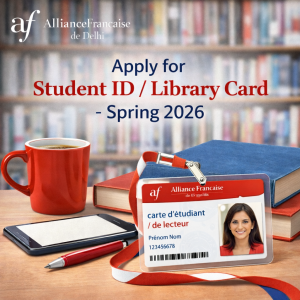
 Students enrolled in the Spring 2026 session are requested to apply for Student ID / Library Card – Spring 2026 by following the instructions below carefully.
Student ID Card
- Please ensure that you have uploaded a recent passport-size photograph (front-facing, easily identifiable face of Student) and a valid Government ID (identity proof & Address proof eg Aadhar, Passport,Driving License etc) on your Student Kiosk account:
👉 https://afdelhi-lodhi.extranet-aec.com/students/login#/ .Use your registered email ID to log in. If you have forgotten your password, please select “Recover my password” on the login page.
- For Renewal, please Submit your expired student ID Card.
- Once your documents are uploaded and verified, kindly visit the AFD IT Department to inform and collect your Student ID Card.
Student ID cum Library Card
From 1st November 2025 onwards, students who wish to obtain a Student-cum-Library Card must:
- Provide proof of payment of the refundable library caution deposit of Rs 2000/- (one time payment). Library Card will allow to borrow books and access online e-library access.
- Upload a Government ID showing identity and address proof eg Aadhar, Passport,Driving License etc on the student portal.
- For Renewal, please Submit your expired student ID / Library Card.
- Once your documents are uploaded and verified, kindly visit the AFD IT Department to inform and collect your Student ID / Library Card.
How to Upload Documents
Detailed instructions on uploading documents to the Student Kiosk are available here:
👉 https://afdelhi.org/wp-content/uploads/2021/12/Steps-to-update-candidate-information.pdf
For a smooth and timely issuance of your ID card, we request all students to carefully follow the above guideline and ensure your profile photo, name, and address proof uploaded on the Student Portal are accurate and clearly visible.